
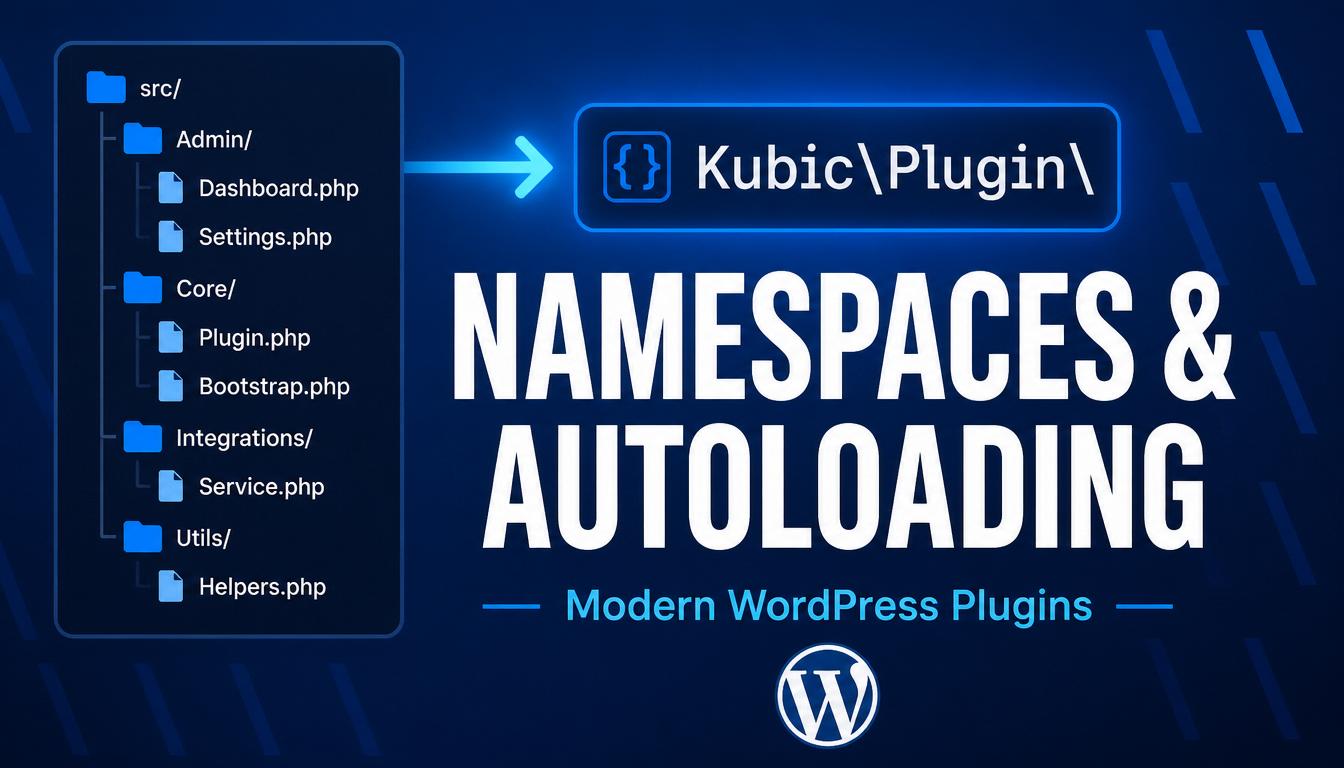
Introduction
As a plugin grows past a few functions, two problems appear. First, every function and class name has to be globally unique, because WordPress loads your code alongside core and dozens of other plugins. Second, you end up with a long list of require statements just to load all your classes. Namespaces solve the first problem and autoloading solves the second.
You will learn:
- What namespaces are and how to declare and use them
- How to import names with use and call global WordPress functions from inside a namespace
- What autoloading is and how PSR-4 maps namespaces to folders
- How to register an autoloader by hand and with Composer
- How to structure a namespaced plugin
The Problem Namespaces Solve
Imagine two plugins each define a class called Logger. PHP allows only one class of a given name, so the second one to load causes a fatal error. Namespaces give every class a kind of folder path in name form. Two Logger classes can coexist peacefully as long as they live in different namespaces.
// In one plugin
namespace Kubic\Analytics;
class Logger {}

// In another plugin
namespace Acme\Shop;
class Logger {}
Their full names — Kubic\Analytics\Logger and Acme\Shop\Logger — are different, so there is no conflict.
Declaring a Namespace
The namespace keyword must be the very first statement in the file, before any other code.
<?php
namespace Kubic\Blocks;

class Renderer {
    public function render() {
        return '<div class="block"></div>';
    }
}
Namespaces are usually multi-level, separated by backslashes. A common convention is Vendor\Package\SubPackage — for example Kubic\Blocks\Pricing.
Using Namespaced Code
Import a class once with use and refer to it by its short name:
namespace Kubic\Plugin;
use Kubic\Blocks\Renderer;

$renderer = new Renderer();

// Without the import you would write:
// $renderer = new \Kubic\Blocks\Renderer();
If you import two classes with the same short name, rename one with as:
use Kubic\Blocks\Renderer;
use Acme\Shop\Renderer as ShopRenderer;
Calling WordPress Functions Inside a Namespace
WordPress core functions like add_action() and get_post() live in the global namespace, not yours. Inside a namespaced file, prefix them with a leading backslash to go straight to global:
namespace Kubic\Plugin;

\add_action( 'init', __NAMESPACE__ . '\\setup' );

function setup() {
    \register_post_type( 'book', array( 'public' => true ) );
}
__NAMESPACE__ is a magic constant holding the current namespace as a string — useful when passing a function name as a callback.
If you call the same global functions many times, import them once with use function:
namespace Kubic\Plugin;
use function add_action;
use function register_post_type;

add_action( 'init', __NAMESPACE__ . '\\setup' );
What Autoloading Is
Without autoloading you must manually include every class file:
require_once __DIR__ . '/src/Renderer.php';
require_once __DIR__ . '/src/Logger.php';
// ...and so on
Autoloading replaces this. You register one function that PHP calls whenever it meets a class it hasn’t loaded yet. That function works out which file holds the class and includes it. You write the rule once and never touch a require line again.
PSR-4: The Standard Mapping
PSR-4 maps a namespace to a folder structure. The rule is simple: the namespace path mirrors the directory path, and the class name matches the file name.
With a base namespace of Kubic\Plugin pointing at src/:
- Kubic\Plugin\Renderer → src/Renderer.php
- Kubic\Plugin\Admin\Settings → src/Admin/Settings.php
- Kubic\Plugin\Blocks\Pricing → src/Blocks/Pricing.php
Registering an Autoloader by Hand
spl_autoload_register( function ( $class ) {
    $prefix   = 'Kubic\\Plugin\\';
    $base_dir = __DIR__ . '/src/';

    if ( strpos( $class, $prefix ) !== 0 ) {
        return;
    }

    $relative = substr( $class, strlen( $prefix ) );
    $file     = $base_dir . str_replace( '\\', '/', $relative ) . '.php';

    if ( file_exists( $file ) ) {
        require $file;
    }
} );
It strips your namespace prefix, turns backslashes into directory separators, appends .php, and includes the file. From then on, new Kubic\Plugin\Renderer() loads src/Renderer.php automatically.
Autoloading with Composer
Declare the PSR-4 mapping in composer.json and let Composer generate the autoloader:
{
    "autoload": {
        "psr-4": {
            "Kubic\\Plugin\\": "src/"
        }
    }
}
After running composer dump-autoload, include the autoloader once in your main plugin file:
require_once __DIR__ . '/vendor/autoload.php';PSR-4 autoloads classes but not plain functions. For a file of procedural helpers, use the files autoloader:
{
    "autoload": {
        "psr-4": {
            "Kubic\\Plugin\\": "src/"
        },
        "files": [ "src/helpers.php" ]
    }
}
Structuring a Namespaced Plugin
my-plugin/
  my-plugin.php        (header, autoloader, bootstrap)
  composer.json
  src/
    Plugin.php         (Kubic\Plugin\Plugin)
    Admin/
      Settings.php     (Kubic\Plugin\Admin\Settings)
    Blocks/
      Pricing.php      (Kubic\Plugin\Blocks\Pricing)
The main file stays tiny: it declares the plugin header, loads the autoloader, and starts the plugin. Everything else lives in well-named, namespaced classes under src/.
Best Practices
- Use a Vendor\Package namespace based on your brand so your names never collide with anyone else’s.
- Follow PSR-4 so the namespace path always mirrors the folder path.
- Import dependencies with use at the top of each file.
- Prefix global WordPress function calls with a backslash inside namespaced files.
- Prefer Composer’s autoloader on real projects; reserve hand-written autoloaders for tiny dependency-free plugins.
Common Mistakes
Putting code before the namespace declaration. The namespace statement must be the first line of code. Any output or statement before it causes a fatal error.
Forgetting the backslash on WordPress functions. Be explicit with leading backslashes and __NAMESPACE__ when passing callback strings.
Mismatching file names and class names. PSR-4 requires the file name to match the class name exactly, including case. Renderer.php must contain class Renderer.
Forgetting to run composer dump-autoload. The standard PSR-4 autoloader resolves new files automatically during development; the classmap variant needs a regenerate after adding files.
FAQ
Do namespaces replace prefixes in WordPress?
For classes, yes. A good namespace removes the need for long class-name prefixes. Plain global functions still benefit from a prefix unless you place them in a namespace too.
What is the difference between a namespace and a folder?
A namespace is a logical label in code; a folder is physical storage. PSR-4 deliberately makes them mirror each other, but they are separate concepts.
Why do I need an autoloader at all?
Without one you must manually require every class file. An autoloader loads each class on demand from its file, so adding a class is as simple as creating the file in the right folder.
Conclusion
Namespaces give your classes unique, organised names so they never collide with core or other plugins. Autoloading loads those classes automatically so you stop writing require lines. Map the two together with PSR-4 and your plugin can grow to any size while staying tidy.
Declare a Vendor\Package namespace, mirror it with folders under src/, import what you need with use, prefix WordPress functions with a backslash, and let an autoloader do the loading.